 Install FontSwap
Geist Pixel
About Geist Pixel
- Source
- Open Font Library ↗
- Classification
- display
- Weights
- 400
- Features
- Standard
Free to use, modify, and distribute. Can be used commercially without attribution.
What's allowed?
- ✓ Client work
- ✓ SaaS / Web apps
- ✓ YouTube / Video
- ✓ Sell products
- ✓ Print materials
Note: Derivative fonts must use the same license.
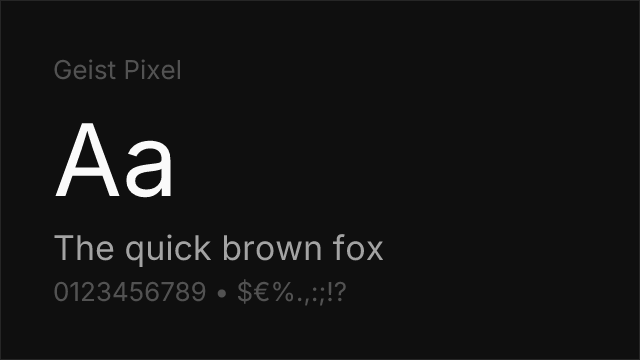
Full license guide →Geist Pixel is a display typeface from Vercel that brings pixel-grid aesthetics to modern typography. Released in 2026, each glyph was manually refined on a strict pixel grid rather than auto-generated, resulting in crisp, intentional letterforms.
History and Design
Vercel created Geist Pixel as a complement to their existing Geist Sans and Geist Mono families. The font ships in five stylistic variants — Square, Grid, Circle, Triangle, and Line — each rendering the same characters through a different pixel shape. This gives designers creative flexibility while maintaining the structured precision of pixel art.
Best Use Cases
Geist Pixel excels in:
- Gaming interfaces: HUD elements, score displays, retro-themed UI
- Creative branding: Tech companies, pixel art projects, experimental layouts
- Display headlines: Banners, posters, dashboards with a digital aesthetic
- Event branding: Hackathons, tech conferences, digital art exhibitions
Usage Tips
Use Geist Pixel at large sizes (32px+) where the pixel grid detail is visible. Choose the variant that matches your project's aesthetic — Square for classic pixel art, Circle for a softer dot-matrix feel, Line for a wireframe look. Pairs well with Geist Sans for supporting body text.
Is Geist Pixel on Google Fonts?
No, Geist Pixel is not on Google Fonts. It is available from Open Font Library ↗
Compare Geist Pixel
See how Geist Pixel compares to other fonts side by side.
Font Pairings
Fonts that pair well with Geist Pixel based on contrast and complementary design characteristics.
Performance
Key metrics for evaluating Geist Pixel in production.
How to Use Geist Pixel
Copy these code snippets to quickly add Geist Pixel to your project.
CSS code for Geist Pixel
/* Download from: https://github.com/vercel/geist-pixel-font */
@font-face {
  font-family: "Geist Pixel";
  src: url('/fonts/geist-pixel.woff2') format('woff2');
  font-display: swap;
}
HTML code for Geist Pixel
<!-- Download from: https://github.com/vercel/geist-pixel-font -->
<link href="/fonts/geist-pixel.css" rel="stylesheet">
Tailwind code for Geist Pixel
// tailwind.config.js
module.exports = {
  theme: {
    extend: {
      fontFamily: {
        'geist-pixel': ['"Geist Pixel"', 'sans-serif'],
      },
    },
  },
}

// Usage in HTML:
// <p class="font-geist-pixel">Your text here</p>
Next.js code for Geist Pixel
// Import the font CSS in your _app.js or layout
import '/fonts/geist-pixel.css';

export default function Component() {
  return (
    <p style={{ fontFamily: '"Geist Pixel"' }}>
      Your text here
    </p>
  );
}
Expo and React Native code for Geist Pixel
// Install: npx expo install expo-font
import { useFonts } from 'expo-font';

export default function App() {
  const [fontsLoaded] = useFonts({
    'Geist Pixel': require('./assets/fonts/geist-pixel.ttf'),
  });

  if (!fontsLoaded) return null;

  return (
    <Text style={{ fontFamily: 'Geist Pixel' }}>
      Your text here
    </Text>
  );
}

// Download font from: https://github.com/vercel/geist-pixel-font