 Install FontSwap
Nacelle
About Nacelle
- Source
- ↗
- Classification
- sans-serif
- Weights
- Variable (100-900)
- Features
- Variable, Italics
Check the license terms for usage rights.
What's allowed?
- ✓ Client work
- ✓ SaaS / Web apps
- ✓ YouTube / Video
- ✓ Sell products
- ✓ Print materials
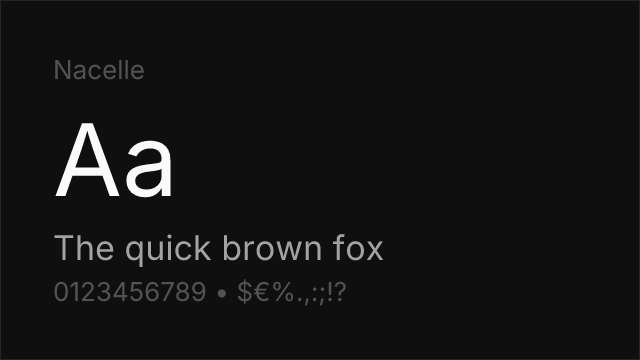
Nacelle is a clean neo-grotesque from Indian Type Foundry, free on Fontshare. Its smooth, well-balanced letterforms make it a reliable choice for interfaces and brand work that needs Swiss-style neutrality.
Best Use Cases
Nacelle fits well in:
- Enterprise products: Admin interfaces, business dashboards
- Corporate branding: Professional identity, business communications
- Editorial design: Clean article typography
- Product design: Feature pages, onboarding flows
Usage Tips
Nacelle covers 5 weights from Light (300) to Bold (700) with italics. Use 400 for body text and 600-700 for headings. Its restrained character makes it fade into the background — ideal for interfaces where content should be the focus. Free from Fontshare.
Is Nacelle on Google Fonts?
No, Nacelle is not on Google Fonts. It is available from ↗
Alternative For (3)
Nacelle is a free alternative to the following premium fonts:
Compare Nacelle
See how Nacelle compares to other fonts side by side.
Variable Font Axes
Nacelle is a variable font with 1 axis you can fine-tune.
| Axis | Min | Default | Max |
|---|---|---|---|
| wght | 300 | 400 | 700 |
How to Use Nacelle
Copy these code snippets to quickly add Nacelle to your project.
CSS code for Nacelle
/* Download from: https://www.fontshare.com/fonts/nacelle */
@font-face {
  font-family: Nacelle;
  src: url('/fonts/nacelle.woff2') format('woff2');
  font-display: swap;
}
HTML code for Nacelle
<!-- Download from: https://www.fontshare.com/fonts/nacelle -->
<link href="/fonts/nacelle.css" rel="stylesheet">
Tailwind code for Nacelle
// tailwind.config.js
module.exports = {
  theme: {
    extend: {
      fontFamily: {
        'nacelle': ['Nacelle', 'sans-serif'],
      },
    },
  },
}

// Usage in HTML:
// <p class="font-nacelle">Your text here</p>
Next.js code for Nacelle
// Import the font CSS in your _app.js or layout
import '/fonts/nacelle.css';

export default function Component() {
  return (
    <p style={{ fontFamily: "'Nacelle'" }}>
      Your text here
    </p>
  );
}
Expo and React Native code for Nacelle
// Install: npx expo install expo-font
import { useFonts } from 'expo-font';

export default function App() {
  const [fontsLoaded] = useFonts({
    'Nacelle': require('./assets/fonts/nacelle.ttf'),
  });

  if (!fontsLoaded) return null;

  return (
    <Text style={{ fontFamily: 'Nacelle' }}>
      Your text here
    </Text>
  );
}

// Download font from: https://www.fontshare.com/fonts/nacelle