Free Alternatives to Graphik

About Graphik
- Foundry
- Commercial Type
- Classification
- sans-serif
- Style
- neo-grotesque
Brands Using Graphik
Global corporate typeface for all brand communications
Parent company brand identity and corporate materials
Editorial and financial data typography
Magazine editorial and digital content
Magazine layout and brand typography
 See Graphik live on these sites with FontSwap →
See Graphik in the Wild
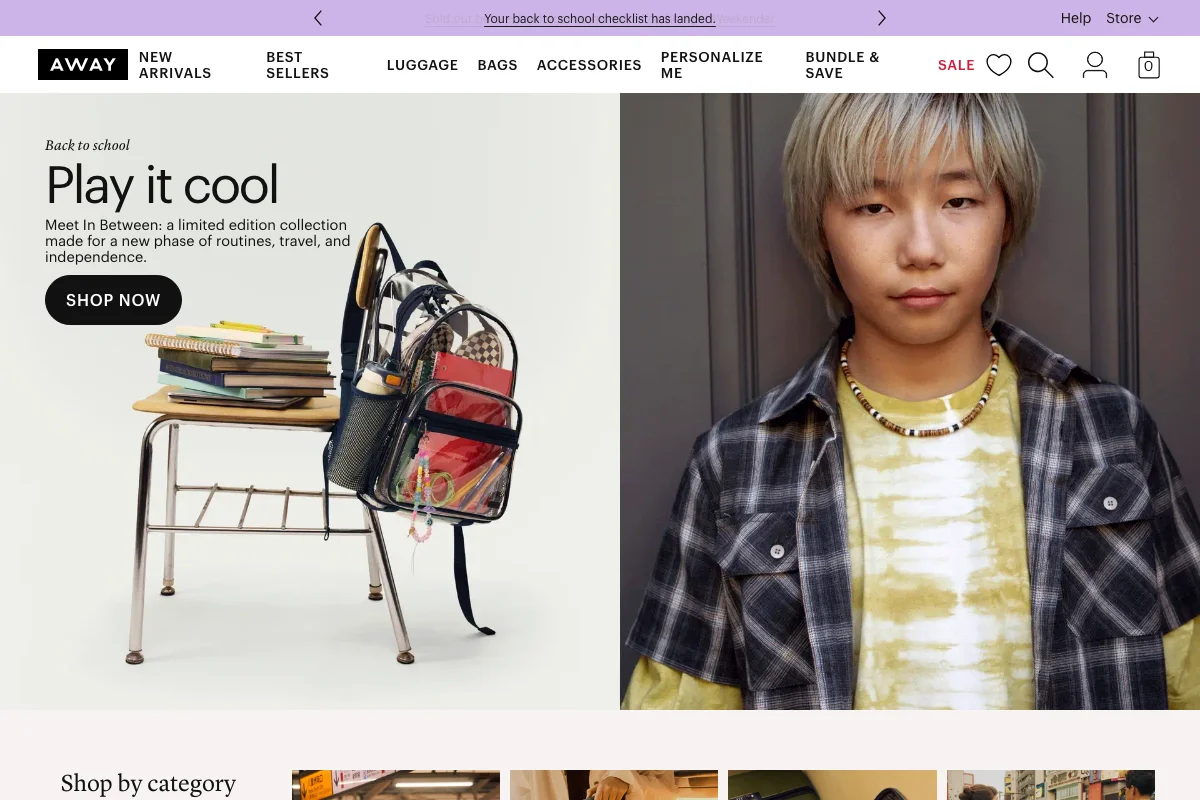
Graphik is a neo-grotesque sans-serif typeface designed by Christian Schwartz and released by Commercial Type in 2009. Schwartz described Graphik as an "emphatically vanilla sans serif" — a deliberate understatement that conceals the typeface's extraordinary design intelligence. Drawing from the "appealing plainness" of lesser-known 20th-century European sans-serifs like Neuzeit Grotesk, Folio, and Recta, and the hand-lettered signage of Swiss Modern posters, Graphik became one of the most influential typefaces of the 2010s — the default sans-serif for tech companies, editorial publications, and corporate rebrands before Söhne emerged to claim that territory.
Graphik requires a paid license from Commercial Type. Desktop, web, and app licenses are priced per style, with web licenses tiered by page views. Commercial Type does not offer a free tier or trial. If your budget cannot accommodate Commercial Type's licensing structure, this page covers the best open-source alternatives and what to evaluate when choosing one.
Why Graphik Matters
Graphik occupies a unique position in contemporary type history: it was the typeface that made "invisible" design visible. Before Graphik, the tech industry largely relied on Helvetica for its sans-serif needs — a choice that signaled nothing more than "we did not think about typography." When Christian Schwartz introduced Graphik, he gave designers a typeface that was equally neutral but communicated typographic intention. Choosing Graphik said "we thought about this and chose restraint."
This distinction proved enormously valuable. Accenture adopted Graphik as their global corporate typeface in 2016, replacing a decades-old brand system. The decision signaled the consultancy's repositioning from traditional management consulting to a technology-forward brand. Snap Inc. chose Graphik for the parent company's corporate identity, separating the playful Snapchat brand from the serious business of the holding company. Bloomberg used it across their editorial and financial data products, where its neutral clarity was essential for typography that must not distort the reader's interpretation of information.
In editorial publishing, Graphik became ubiquitous. Esquire, T (The New York Times Style Magazine), Wallpaper*, and Bon Appetit all adopted it. The appeal was consistent: Graphik handled the complex typographic demands of magazine layouts — headlines, body text, captions, pull quotes, data tables — without any single element drawing attention to the typeface itself. It was the perfect editorial workhorse.
Christian Schwartz originally designed Graphik for his own corporate identity at Commercial Type. This origin explains its particular quality: it was designed by a type designer for the specific needs of a type foundry, where the typography must be impeccable but must never overshadow the typefaces being presented. This self-effacing utility became Graphik's greatest commercial asset.
The cultural timing was critical. Graphik arrived in 2009, at the beginning of the startup boom that would define the next decade. As venture-funded technology companies multiplied, each needing a brand identity that communicated trustworthiness, modernity, and approachability, Graphik was waiting — the perfect typographic blank canvas onto which any brand personality could be projected.
Design Characteristics
Graphik's design choices create its signature "appealing plainness" through careful structural calibration:
- Moderate x-height with balanced vertical proportions: The x-height is generous enough for screen legibility but controlled enough for classical print composition — positioned precisely between the compact proportions of Univers and the tall forms of screen-first fonts like Inter
- Semi-closed apertures with controlled openings: The
c,e, andsare more closed than contemporary screen-first sans-serifs but more open than Helvetica. This calibration creates Graphik's characteristic typographic density — readable but compact, clear but not airy - Near-monolinear strokes with subtle grotesque modulation: Strokes maintain consistent thickness with barely perceptible thinning at junctions and curves. This near-uniformity creates exceptionally even typographic color in paragraph settings, Graphik's most prized quality
- Flat-sided bowls with gentle grotesque tension: The
o,b,d, andpfeature slight flattening on vertical extremes — less dramatic than DIN, more pronounced than Helvetica — creating a modern feel without geometric rigidity - Horizontal terminals with clean cuts: Stroke endings are precisely horizontal, contributing to the calm, controlled personality that makes Graphik so versatile. The
c,s, andeterminals are particularly restrained - Distinctive two-storey
aandg: Graphik uses the two-storeyaandgat all sizes, reinforcing its connection to the grotesque rather than geometric tradition and improving readability in body text - Three widths (Standard, Condensed, Wide) and extensive weights: The family spans from Thin to Super across three widths, with true italics rather than slanted romans, providing comprehensive typographic flexibility
Where Graphik Excels
Graphik performs best in contexts that demand refined invisibility:
- Corporate rebrand projects: Graphik's neutrality makes it the ideal foundation for corporate identity systems that need to communicate modernity without any specific stylistic commitment
- Editorial and magazine layouts: The even typographic color and comprehensive weight range handle the complex hierarchies of editorial design — from 72pt headlines to 8pt captions — with authority
- Technology company branding: The "emphatically vanilla" quality reads as intentional restraint in tech contexts, signaling design awareness without design ostentation
- Financial services and consulting: The neutral, authoritative character suits the conservative typography requirements of financial reports, investor presentations, and regulatory communications
- Multi-platform design systems: Graphik's consistency across weights and widths provides a stable foundation for design systems spanning web, mobile, and print
- Information-dense interfaces: The even stroke weight and compact proportions create clear data tables, form labels, and navigation systems without visual noise
Where Graphik Struggles
Graphik has specific contexts where other typefaces perform better:
- Brands needing distinctive personality: Graphik's deliberate vanilla-ness means it does not contribute personality to a brand. For companies whose typographic voice needs to be recognizable and distinctive, Graphik fades into the background too completely
- Very small screen sizes on low-res displays: While well-crafted for print and high-density screens, Graphik lacks the aggressive hinting and open apertures of fonts engineered specifically for 12-14px rendering on older displays
- Warm, playful, or casual contexts: The clinical precision reads as cold in contexts targeting families, children, wellness, or casual consumer audiences. Graphik communicates professionalism, not approachability
- Variable font performance needs: Graphik ships as static files only, which is a web performance disadvantage compared to Inter, DM Sans, or Work Sans, all of which offer variable font alternatives
- Extremely condensed or extended layouts: While Graphik includes Condensed and Wide variants, the range is narrower than GT America's six widths or Acumin's extensive width axis
- Contexts requiring non-Latin scripts: Graphik supports Latin, Latin Extended, and Cyrillic, but lacks Greek, Arabic, and CJK. Global brands need supplementary typefaces for complete script coverage
- Projects requiring typographic drama: Graphik does not do drama. If your design needs the expressive energy of display type — fashion campaigns, music branding, editorial covers — Graphik will underperform more characterful alternatives
How to Choose a Free Substitute
When evaluating Graphik replacements, focus on these criteria:
Typographic color in paragraphs: This is Graphik's defining quality — exceptionally even color across a full paragraph. Set a 200-word block of body text at 16px and 10pt in both Graphik and your candidate. Look for consistent density without light or dark patches. Inter matches this quality most closely; Work Sans adds slight warmth.
Neutrality calibration: Graphik's value is its deliberate invisibility. Your alternative must feel intentionally neutral, not merely generic. Test by using the typeface in a premium brand context — a luxury product page, a consulting firm identity — and assess whether it reads as a design choice or a design non-choice. Inter and IBM Plex Sans pass this test; Roboto often does not.
Weight ramp quality: Set a simple typographic hierarchy (headline Bold, subhead Medium, body Regular, caption Light) and check that each weight step feels purposeful and distinct. Graphik's weight ramp is exceptionally well-calibrated. Some free fonts have uneven weight distribution where the Medium-to-Bold jump is too large or the Light-to-Regular step is too small.
Performance at body text sizes: Graphik's primary use is body text (9-11pt print, 14-18px screen). Test your alternative extensively at these sizes. The letterforms should remain distinct and the inter-character spacing should feel natural without manual adjustment. Focus on the
e,a,o,s— these characters reveal the most about a sans-serif's body-text quality.Width variant availability: If your project uses Graphik Condensed or Wide, identify whether your alternative offers comparable width variants or if you need a separate typeface for those roles. No single free font replicates Graphik's full width range, so plan accordingly.
Premium Font Neighbors
If Graphik's approach resonates but you want to explore adjacent options:
Cluster A: Neo-grotesque editorial workhorses (Graphik's direct competitors)
- Atlas Grotesk (Commercial Type) — Kai Bernau's grotesque; slightly more constructed and systematic than Graphik
- Söhne (Klim Type Foundry) — the typeface that succeeded Graphik as the tech-sector default; more screen-optimized, sharper
- Suisse Int'l (Swiss Typefaces) — Ian Party's Swiss neo-grotesque; more explicitly Helvetica-derived than Graphik's eclectic sources
- Founders Grotesk (Klim Type Foundry) — tighter, more condensed, with a rougher grotesque character than Graphik's polish
Cluster B: Corporate and brand grotesques
- Messina (Luzi Type) — contemporary grotesque with similar editorial positioning but more geometric construction
- Calibre (Klim Type Foundry) — tighter and more utilitarian; Graphik's leaner, more condensed cousin
- Ginto (Dinamo) — contemporary grotesque with broader proportions and more personality than Graphik
- Duplicata (Commercial Type) — a text-focused grotesque designed for demanding editorial work
FAQ
Is Graphik free?
No. Graphik is a premium typeface from Commercial Type with per-style licensing. Desktop and web licenses are priced separately, and web licenses are tiered by monthly page views. There is no free trial or free tier. The full family (Standard, Condensed, and Wide in all weights with italics) represents a substantial licensing investment.
What is the best free alternative to Graphik?
Inter is the closest free alternative at 88% similarity. Both share a restrained neo-grotesque construction, even typographic color, and comprehensive weight range. Inter adds variable font support, optical sizing, and broader language coverage (Cyrillic and Greek) — technical advantages that make it a practical drop-in for most Graphik use cases.
Why was Graphik so popular with tech startups?
Graphik arrived in 2009 just as the startup boom was beginning. Its deliberate neutrality made it the perfect typographic canvas for young companies that needed to appear professional, modern, and trustworthy without committing to a strong visual personality. The "emphatically vanilla" quality let brand identity be carried by color, layout, and imagery rather than typeface, which suited companies whose brand identities were still evolving.
What is the difference between Graphik and Söhne?
Both are neo-grotesque sans-serifs popular in tech, but they differ in character. Graphik draws from lesser-known mid-century grotesques (Neuzeit, Folio, Recta), creating a soft, approachable neutrality. Söhne, designed by Kris Sowersby at Klim, is a "memory of Helvetica" — crisper, sharper, and more explicitly screen-optimized. Söhne emerged around 2019 and gradually displaced Graphik as the default tech-sector sans-serif, though Graphik remains dominant in editorial and corporate contexts.
Is Graphik a variable font?
No. Graphik ships as static font files across all widths and weights. With Standard, Condensed, and Wide variants each available in multiple weights with italics, the total file count climbs quickly — and Graphik's Extended and Condensed variants multiply the HTTP requests further for teams using the full family on the web. Most of Graphik's free alternatives (Inter, Work Sans, DM Sans) offer variable font support, providing a meaningful file-size and performance advantage for web projects.
Does Graphik support Cyrillic?
Yes. Graphik includes Latin, Latin Extended, and Cyrillic character sets. However, it does not include Greek, Arabic, or CJK scripts. For projects requiring broader language support, Inter (Cyrillic, Greek) or IBM Plex Sans (Cyrillic, Greek, Arabic, Devanagari) provide compatible alternatives with more extensive script coverage.
Who designed Graphik?
Christian Schwartz designed Graphik, originally for his own Commercial Type identity. Schwartz is one of the most prolific and influential type designers working today, with other notable typefaces including Guardian (for The Guardian newspaper), Neue Haas Grotesk (the digital restoration of original Helvetica drawings), and Amplitude. Commercial Type, which he co-founded with Paul Barnes, has become one of the most important foundries in contemporary type design.
What makes Graphik different from Helvetica?
Both are neo-grotesque sans-serifs, but Graphik was designed with conscious awareness of Helvetica's limitations. Graphik has more open apertures, more even typographic color in paragraphs, and a softer, more contemporary feel. Helvetica's influence is pervasive to the point of invisibility — it reads as "default." Graphik reads as "chosen restraint." Structurally, Graphik draws from Neuzeit, Folio, and Recta rather than from Akzidenz-Grotesk (Helvetica's primary source), giving it a subtly different skeleton.
Can I use Graphik for both web and print?
Yes, Graphik performs well in both contexts. The near-monolinear strokes and even spacing translate effectively to print at standard editorial sizes (8-12pt), while the clean construction works at digital sizes (14-18px). However, web and desktop licenses are priced separately by Commercial Type, and the static-only font files mean web projects do not benefit from variable font performance optimizations.
Is Graphik on Google Fonts?
No, Graphik is a premium font from Commercial Type and is not available on Google Fonts.
The closest Google Fonts alternative is Inter with 88% similarity. Get it free on Google Fonts ↗
Free Alternatives (7)
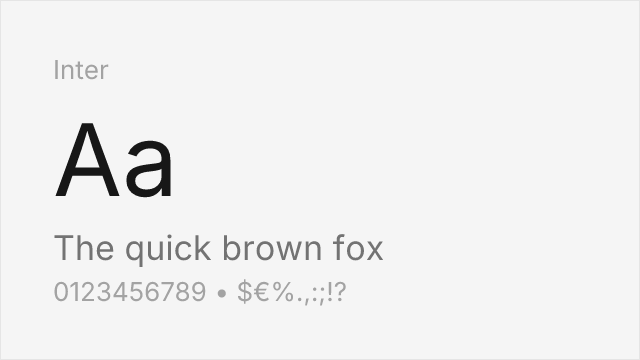
Closest overall match with excellent screen rendering and comprehensive variable font support
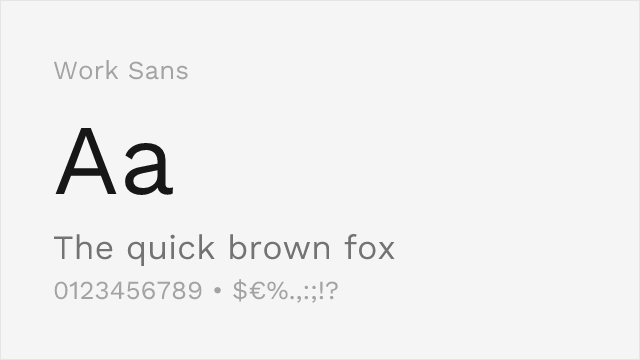
Mature editorial sans with comparable clean aesthetic and workmanlike versatility
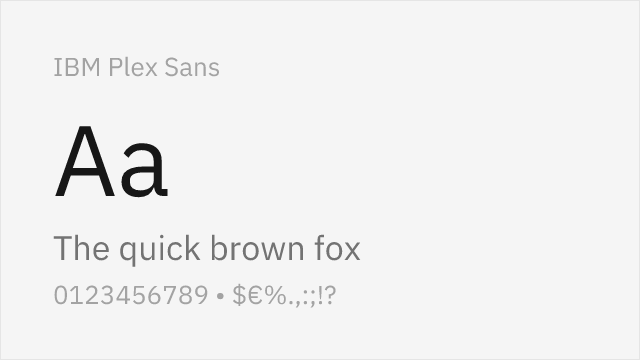
Rational corporate grotesque with similar professional neutrality and grid-based construction
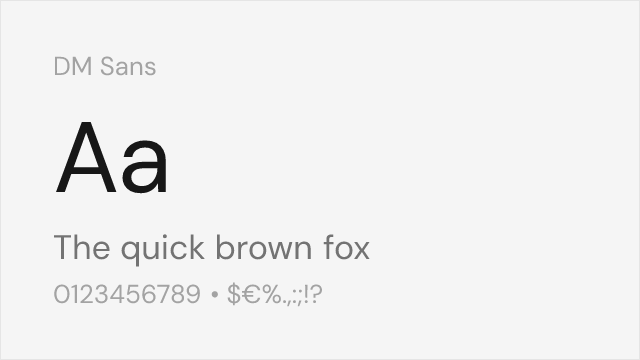
Geometric-leaning grotesque with clean modern proportions matching Graphik's contemporary feel
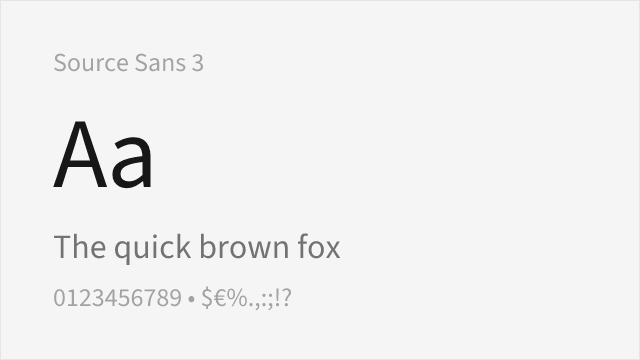
Adobe's professional sans with strong hinting and extensive language coverage
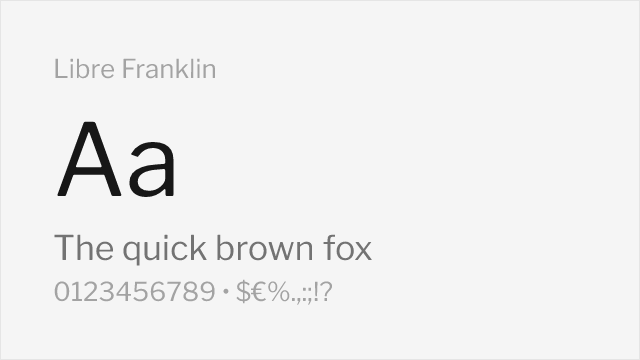
Faithful Franklin Gothic revival with strong editorial pedigree and workmanlike clarity
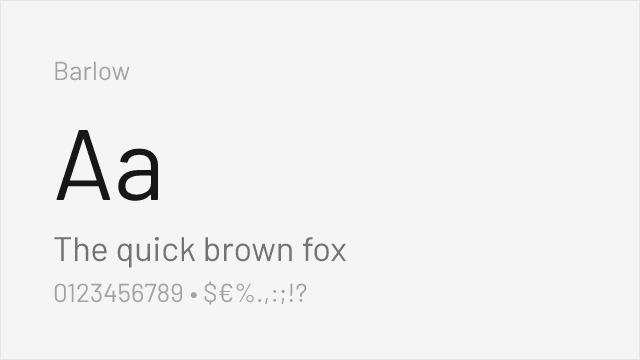
Slightly condensed grotesque with utilitarian character and comprehensive weight range
Compare the alternatives
See how Graphik compares to its top alternatives — and how those alternatives compare to each other — side by side.
See where Graphik is used in the wild and swap to free alternatives live.
Install FontSwap →Replacement Summary
Source: FontAlternatives.com
Premium font: Graphik
Best free alternative: Inter
FontAlternatives similarity score: 88%
Replacement difficulty: Low
Best for: design system foundations, content-heavy web applications, corporate brand typography, cross-platform product interfaces
Notable users: Accenture, Snap Inc., Bloomberg
Not recommended when: Brand consistency with Accenture requires exact letterforms
What is the best free alternative to Graphik?
Inter is the best free alternative to Graphik with a FontAlternatives similarity score of 88%.
Inter shares similar proportions, stroke characteristics, and intended use with Graphik. It is available under the OFL-1.1 license, which permits both personal and commercial use at no cost.
This alternative works particularly well for: design system foundations, content-heavy web applications, corporate brand typography, cross-platform product interfaces.
Can I safely replace Graphik with Inter?
Yes, Inter is a high-confidence replacement for Graphik. The FontAlternatives similarity score of 88% indicates strong structural compatibility.
Licensing: Inter is licensed under OFL-1.1, which allows commercial use without licensing fees or royalties.
Weight coverage: Most weights have close or exact matches available.
When should I NOT replace Graphik?
While Inter is a strong alternative, there are situations where replacing Graphik may not be appropriate:
- Strict compliance: Verify that OFL-1.1 terms meet your specific legal and compliance requirements.
Weight-Matching Guide
Map Graphik weights to their closest free alternatives for accurate font substitution.
Inter
| Graphik | Inter | Match |
|---|---|---|
| Thin (100) | Thin (100) | close |
| Regular (400) | Regular (400) | exact |
| Medium (500) | Medium (500) | exact |
| Bold (700) | Bold (700) | exact |
Work Sans
| Graphik | Work Sans | Match |
|---|---|---|
| Light (300) | Light (300) | exact |
| Regular (400) | Regular (400) | exact |
| Medium (500) | Medium (500) | exact |
| Bold (700) | Bold (700) | close |
IBM Plex Sans
| Graphik | IBM Plex Sans | Match |
|---|---|---|
| Thin (100) | Thin (100) | close |
| Regular (400) | Regular (400) | exact |
| Medium (500) | Medium (500) | exact |
| Bold (700) | Bold (700) | exact |
DM Sans
| Graphik | DM Sans | Match |
|---|---|---|
| Light (300) | Light (300) | close |
| Regular (400) | Regular (400) | close |
| Medium (500) | Medium (500) | close |
| Bold (700) | Bold (700) | close |
Source Sans 3
| Graphik | Source Sans 3 | Match |
|---|---|---|
| Light (300) | Light (300) | close |
| Regular (400) | Regular (400) | close |
| Medium (500) | Medium (500) | substitute |
| Bold (700) | Bold (700) | close |
Libre Franklin
| Graphik | Libre Franklin | Match |
|---|---|---|
| Light (300) | Light (300) | close |
| Regular (400) | Regular (400) | close |
| Medium (500) | Medium (500) | substitute |
| Bold (700) | Bold (700) | close |
Barlow
| Graphik | Barlow | Match |
|---|---|---|
| Thin (100) | Thin (100) | close |
| Regular (400) | Regular (400) | close |
| Medium (500) | Medium (500) | close |
| Bold (700) | Bold (700) | close |
Performance Guide
Production performance metrics for each alternative.
How to Use Inter
Copy these code snippets to quickly add Inter to your project.
CSS code for Inter
@import url('https://fonts.googleapis.com/css2?family=Inter:wght@100..900&display=swap');HTML code for Inter
<link rel="preconnect" href="https://fonts.googleapis.com">
<link rel="preconnect" href="https://fonts.gstatic.com" crossorigin>
<link href="https://fonts.googleapis.com/css2?family=Inter:wght@100..900&display=swap" rel="stylesheet">
Tailwind code for Inter
// tailwind.config.js
module.exports = {
  theme: {
    extend: {
      fontFamily: {
        'inter': ['Inter', 'sans-serif'],
      },
    },
  },
}

// Usage in HTML:
// <p class="font-inter">Your text here</p>
Next.js code for Inter
// Using next/font (Next.js 13+)
import { Inter } from 'next/font/google';

const inter = Inter({
  subsets: ['latin'],
  weight: ['100', '200', '300', '400', '500', '600', '700', '800', '900'],
});

export default function Component() {
  return (
    <p className={inter.className}>
      Your text here
    </p>
  );
}

// Or using inline styles with Google Fonts link:
// <p style={{ fontFamily: "'Inter'" }}>Your text</p>
Expo and React Native code for Inter
// Install: npx expo install @expo-google-fonts/inter expo-font
import { useFonts, Inter_400Regular } from '@expo-google-fonts/inter';

export default function App() {
  const [fontsLoaded] = useFonts({
    Inter_400Regular,
  });

  if (!fontsLoaded) return null;

  return (
    <Text style={{ fontFamily: 'Inter_400Regular' }}>
      Your text here
    </Text>
  );
}
Recommended Font Pairings
These free fonts pair well with Inter Graphik for headlines, body text, or accent use.
Playfair Display's high-contrast transitional serifs create rich editorial contrast against Graphik's neutral grotesque forms. This is a classic magazine pairing — dramatic headlines with clean, functional body text — that works for fashion, lifestyle, and cultural publications.
Literata's warm, contemporary serifs balance Graphik's clinical precision for editorial layouts that need reading comfort alongside modern UI elements. Both share an editorial-first design philosophy and excellent screen rendering.
Cormorant Garamond's refined, high-contrast serifs provide elegant contrast to Graphik's restrained sans-serif forms. This pairing works well for luxury branding and cultural contexts where typographic sophistication signals brand intelligence.
Browse Alternatives by Context
Find Graphik alternatives filtered by specific use case, style, or language support.
Frequently Asked Questions
What is the best free alternative to Graphik?
Inter is the best free alternative to Graphik with a FontAlternatives similarity score of 88%. It shares similar proportions and characteristics while being available under the OFL-1.1 license for both personal and commercial use at no cost.
Is there a free version of Graphik?
There is no official free version of Graphik. However, Inter is available under the OFL-1.1 open-source license and achieves a FontAlternatives similarity score of 88%. It includes variable weights and supports latin, latin-extended.
What Google Font looks like Graphik?
The Google Fonts most similar to Graphik are Inter, Work Sans, IBM Plex Sans. Among these alternatives, Inter offers the closest match with a FontAlternatives similarity score of 88% and includes variable weights for flexible typography options.
Can I use Inter commercially?
Yes, Inter can be used commercially. It is licensed under OFL-1.1, which allows free use in websites, applications, print materials, and commercial projects without purchasing a license or paying royalties.
Is Inter similar enough to Graphik?
Inter achieves a FontAlternatives similarity score of 88% compared to Graphik. While not identical, it offers comparable letterforms, proportions, and visual style. Most designers find it works excellently as a substitute in web and print projects.
What are the main differences between Graphik and its free alternatives?
Free alternatives to Graphik may differ in subtle details like letter spacing, curve refinements, and available weights. Premium fonts typically include more OpenType features, extended language support, and optimized screen rendering. However, for most projects, these differences are negligible.
Where can I download free alternatives to Graphik?
Download Inter directly from Google Fonts. Click the "Get Font" button on any alternative listed above to visit the official download page. Google Fonts also provides convenient embed codes for seamless web integration.