Free Alternatives to SF Pro Display

About SF Pro Display
- Foundry
- Apple Inc.
- Classification
- sans-serif
- Variable
- Yes
- Style
- neo-grotesque
Brands Using SF Pro Display
System font across all Apple platforms since 2015
Full interface typography including playlist art and editorial
Streaming service UI and marketing materials
Documentation, developer tools, and WWDC session materials
 See SF Pro Display live on these sites with FontSwap →
SF Pro Display is Apple's proprietary system typeface, designed by Apple's in-house type team and introduced alongside iOS 9 and OS X El Capitan in 2015. It succeeded Helvetica Neue as the default interface font across all Apple platforms, representing a rare case where one of the world's most valuable companies invested in a bespoke typeface solely for screen performance. SF Pro Display is the optical variant optimized for larger sizes (20pt and above), while SF Pro Text handles smaller body copy — together they form the San Francisco type system that defines the visual identity of Apple's entire software ecosystem.
SF Pro Display requires Apple's license agreement for use outside Apple platforms. Apple distributes SF Pro freely for developers building apps within the Apple ecosystem, but it cannot be used in non-Apple contexts — no Android apps, no Windows software, no general web use. If your project needs SF Pro's aesthetic beyond Apple's walled garden, this page covers the best open-source alternatives and what to evaluate when choosing one.
Why SF Pro Display Matters
SF Pro Display matters because it defines the typographic standard that roughly 1.5 billion active Apple device users encounter daily. When Apple replaced Helvetica Neue with San Francisco in 2015, it was an acknowledgment that even the world's most famous typeface was not optimized for the demands of modern screen rendering — particularly on the high-density Retina displays that Apple had pioneered.
The decision to create a bespoke system font was influenced by Apple's experience with the Apple Watch. The original San Francisco was designed for the tiny watch display, where Helvetica Neue's tight apertures and ambiguous letter-spacing created legibility problems. Apple's type team, widely believed to have been led by designers with deep roots in the San Francisco Bay Area lettering tradition, expanded the watch font into a full system typeface.
What makes SF Pro Display technically significant is its optical size model. Rather than using a single design scaled up and down, Apple created distinct optical variants: SF Pro Display for headlines and large text (with tighter spacing and finer details) and SF Pro Text for body copy (with wider spacing and more open forms). This approach, rooted in centuries of metal-type tradition, was radical for a system font in 2015 — most operating system typefaces used a single outline at all sizes.
The network effect is enormous. Designers working within the Apple ecosystem absorb SF Pro's proportions as the baseline for "good typography." When they move to cross-platform projects, they instinctively seek fonts that match SF Pro's reading rhythm. This is why Inter, designed explicitly for screens by Rasmus Andersson, has become the dominant open-source alternative — it was built with SF Pro's standards in mind.
SF Pro Display also codified several design conventions that became industry defaults: the two-story a and g in display sizes, the flat-sided o that blends geometric and grotesque traditions, and the precise kerning tables that make mixed-case UI labels look optically even without manual adjustment.
Design Characteristics
SF Pro Display's design balances the structural clarity of DIN with the approachability of neo-grotesque tradition, refined through exhaustive screen testing:
- Tall x-height with compact ascenders: The x-height is approximately 73% of the cap height, optimizing the balance between legibility at small sizes and elegant proportion at display sizes — taller than Helvetica Neue but shorter than the exaggerated x-heights of some screen-first fonts
- Open apertures with controlled terminals: The
c,e,s, andahave generous openings that prevent characters from closing up on screen, particularly important on lower-resolution displays. Terminals are flat-cut rather than curved, giving a crisp, mechanical precision - Minimal stroke contrast: Nearly monolinear strokes create even typographic color across paragraphs, essential for the information-dense interfaces of iOS and macOS where text must remain legible alongside icons, dividers, and interactive elements
- Flat-sided curves: The
o,p,d, andbfeature the characteristic flat-sided bowls influenced by DIN 1451, blending geometric structure with grotesque warmth — rounder than DIN, flatter than Helvetica - Distinctive
ganda: The double-storeygwith its closed lower bowl and the single-storeyain text sizes (switching to double-storey in display sizes) are SF Pro's most recognizable characters - Optical spacing adjustments: Letter-spacing is tighter in Display cuts and progressively looser in Text and Small sizes, with Apple's text rendering engine dynamically selecting the appropriate variant
- Nine weights from Ultralight to Black: The full range supports the complex hierarchies of Apple's Human Interface Guidelines, where weight differentiation (not size alone) creates visual structure
Where SF Pro Display Excels
SF Pro Display is purpose-built for specific contexts where it outperforms most alternatives:
- Native Apple app interfaces: No font renders as well on iOS and macOS because SF Pro's hinting is tuned specifically for Apple's Core Text rendering engine
- High-density Retina displays: The optical sizing and fine stroke details are designed for 2x and 3x displays, where SF Pro looks sharper than fonts designed for lower-resolution screens
- Data-dense dashboards and tables: The monolinear strokes and careful figure design create exceptionally even columns of numbers and mixed alphanumeric data
- Navigation and system UI: Buttons, tab bars, navigation labels, and status indicators benefit from SF Pro's calibrated weight differentiation
- Mixed-language iOS apps: Apple's font stack handles Latin, Cyrillic, Greek, and CJK fallback with tested metrics, ensuring consistent line heights across scripts
- Accessibility contexts: SF Pro includes large type and bold text variants that respond to iOS accessibility settings without layout breakage
Where SF Pro Display Struggles
Despite its polish, SF Pro Display has clear limitations:
- Non-Apple platforms: SF Pro is legally restricted to Apple ecosystem use. On Android or Windows, it cannot be deployed, and even if sideloaded, the hinting is wrong for those platforms' rendering engines
- Print and editorial contexts: SF Pro was designed for screens, not paper. At print sizes below 12pt, it lacks the ink-trap details and stroke contrast that typefaces like Neue Haas Grotesk or Graphik provide for offset and digital printing
- Brand differentiation: Because every Apple device uses SF Pro, choosing it for your brand says "we are an Apple app" rather than communicating unique brand personality — a problem for companies wanting typographic distinction
- Warm or playful brands: SF Pro's precision reads as clinical and corporate. Brands targeting younger, casual, or creative audiences may find it too sterile
- Long-form editorial reading: The minimal stroke contrast and tight display spacing make SF Pro Display less comfortable for sustained reading of articles or books compared to typefaces designed for that purpose
- Condensed or extended needs: SF Pro lacks condensed or extended width variants, limiting its utility in space-constrained or wide-format layouts where width variation is essential
How to Choose a Free Substitute
When evaluating SF Pro Display replacements, focus on these criteria:
Screen rendering quality: SF Pro's primary advantage is its screen optimization. Set your candidate at 14px, 16px, and 24px on both standard and high-density displays. Check that letter-spacing feels natural and that
e,a,scounters remain open and distinct. Inter and Geist perform best here because they were designed with similar screen-first priorities.Optical size behavior: SF Pro automatically adjusts details at different sizes through its optical variants. Look for alternatives with variable font optical sizing (Inter has this) or at minimum, verify that your candidate looks appropriate at both 14px body text and 48px headline sizes without manual tracking adjustment.
Weight range and UI hierarchy: Apple's Human Interface Guidelines use Regular (400), Medium (500), Semibold (600), and Bold (700) as the primary hierarchy. Your alternative needs at least these four weights to replicate Apple-style UI patterns. Check that the weight increments feel visually equivalent — some free fonts have a Medium that reads closer to Regular than SF Pro's Medium does.
Figure and number design: If your project includes data tables, dashboards, or any numeric content, compare tabular figures. SF Pro has excellent tabular lining figures. Inter also provides these; not all free alternatives do.
Platform consistency: SF Pro looks best on Apple devices because it is the system font. Your alternative needs to look good everywhere — test on Chrome/Windows, Firefox/Linux, and Safari/macOS. Inter's cross-platform rendering is the current benchmark for this criterion.
Premium Font Neighbors
If SF Pro Display's approach resonates but you want to explore adjacent premium options:
Cluster A: System and platform fonts (SF Pro's direct peers)
- Segoe UI (Microsoft) — Windows' system font; slightly more humanist than SF Pro with rounder terminals
- San Francisco Mono (Apple) — the monospace companion in Apple's type system, for code and technical contexts
- Satoshi (Indian Type Foundry) — a modern geometric sans that captures SF Pro's clean tech aesthetic with more personality
Cluster B: Tech-sector grotesques (SF Pro's aesthetic neighbors)
- Circular (Lineto) — the geometric sans that defined Silicon Valley branding before SF Pro; warmer and rounder
- Söhne (Klim Type Foundry) — Kris Sowersby's "memory of Helvetica"; shares SF Pro's system-font DNA with more editorial polish
- Proxima Nova (Mark Simonson) — the web font that preceded SF Pro's era; geometric-humanist hybrid with similar versatility
- Aktiv Grotesk (Dalton Maag) — a comprehensive grotesque system built for the same enterprise and tech contexts
FAQ
Is SF Pro Display free?
SF Pro Display is free to download from Apple's developer resources, but its license restricts use to apps and interfaces running on Apple platforms (iOS, macOS, watchOS, tvOS, visionOS). You cannot use SF Pro for Android apps, Windows software, general websites, or print projects outside the Apple ecosystem. For cross-platform work, Inter is the standard open-source alternative.
What is the best free alternative to SF Pro Display?
Inter is the closest free alternative at 88% similarity. Both share a tall x-height, open apertures, and screen-optimized construction. Inter adds cross-platform compatibility, broader language coverage (including Cyrillic and Greek), and optical sizing through its variable font axes — features that make it a practical upgrade for teams working beyond the Apple ecosystem.
Why did Apple replace Helvetica Neue with SF Pro?
Apple needed a typeface optimized for the pixel grid of Retina displays and the tiny screen of Apple Watch. Helvetica Neue's tight apertures caused legibility issues at small sizes on screen, and its spacing was designed for print composition rather than UI rendering. SF Pro was engineered from scratch for screen performance, with optical sizing, dynamic tracking, and hinting tuned to Apple's Core Text renderer.
Is SF Pro Display a variable font?
Yes. Apple distributes SF Pro as a variable font with weight and optical size axes. The optical size axis automatically adjusts stroke details, spacing, and aperture openness based on the rendered size — tighter and finer for Display sizes, more open and spaced for Text sizes. This is one of SF Pro's most technically sophisticated features.
Can I use SF Pro Display on a website?
Only if the website is exclusively for Apple platform documentation, Apple developer resources, or is rendered within an Apple app's web view. Apple's license explicitly prohibits using SF Pro as a web font on general websites. For the same aesthetic on the web, Inter with its optical sizing axis is the closest match.
What is the difference between SF Pro Display and SF Pro Text?
SF Pro Display is optimized for text set at 20 points and above — headlines, titles, large UI elements. SF Pro Text is designed for body copy at 19 points and below, with wider letter-spacing, more open counters, and slightly heavier strokes that maintain legibility at small sizes. Apple's system dynamically selects the appropriate variant based on the point size being rendered.
Does SF Pro Display support Cyrillic and Greek?
Yes. SF Pro includes Latin, Cyrillic, Greek, and a range of extended Latin characters. However, for CJK (Chinese, Japanese, Korean) scripts, Apple falls back to platform-specific fonts like PingFang (Chinese), Hiragino (Japanese), and Apple SD Gothic Neo (Korean). The Latin-Cyrillic-Greek coverage is comprehensive for most Western and Eastern European languages.
How does SF Pro Display compare to Inter?
Both are screen-first neo-grotesques with tall x-heights and open apertures. SF Pro has the advantage of perfect rendering on Apple devices (it is the system font), while Inter has the advantage of cross-platform consistency and an open-source license. SF Pro's optical sizing is more refined because Apple controls the entire rendering pipeline, but Inter's variable font optical size axis provides a comparable effect. For Apple-only projects, SF Pro is the default. For anything cross-platform, Inter is the practical standard.
Who designed SF Pro Display?
SF Pro was designed by Apple's in-house type design team. Apple does not publicly credit individual designers for system-level work, but the team is known to include experienced type designers recruited from major foundries. The design was influenced by DIN 1451's geometric clarity, Frutiger's humanist legibility research, and the practical constraints of rendering type on displays ranging from 38mm watch screens to 32-inch studio monitors.
What is the San Francisco type system?
The San Francisco type system includes SF Pro (the proportional sans-serif in Display and Text optical sizes), SF Mono (the monospace variant for code), SF Compact (a narrower variant originally designed for Apple Watch), and SF Arabic. Together, they form the typographic foundation of every Apple platform, with consistent vertical metrics that ensure stable line heights when mixing fonts across the system.
Is SF Pro Display on Google Fonts?
No, SF Pro Display is a premium font from Apple Inc. and is not available on Google Fonts.
The closest Google Fonts alternative is Inter with 88% similarity. Get it free on Google Fonts ↗
Free Alternatives (7)
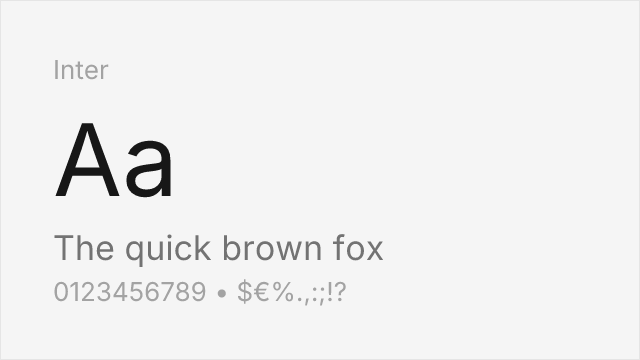
Closest open-source match with variable font support and similar screen-optimized proportions
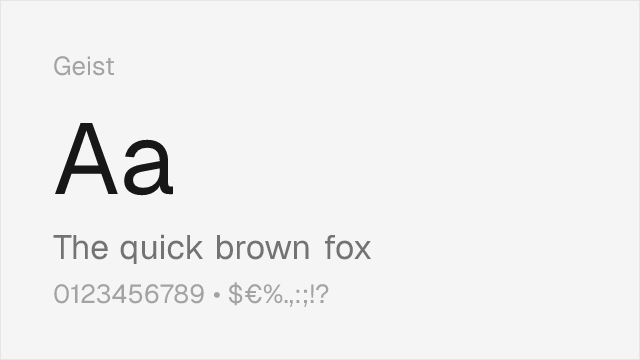
Vercel's system font with similar tech-forward aesthetics and screen optimization
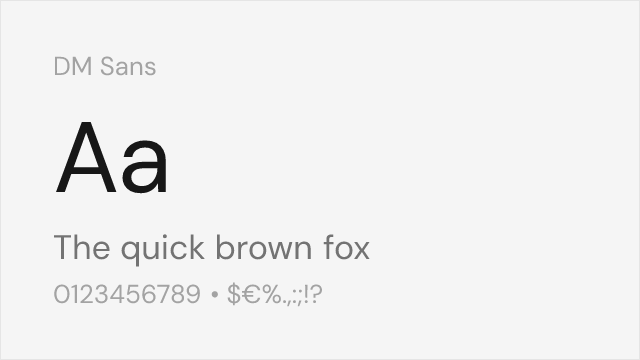
Geometric-leaning grotesque with clean proportions that echo SF Pro's friendly precision
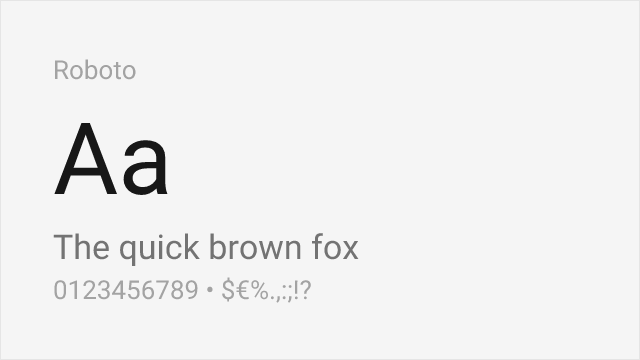
Google's system font with comparable screen optimization and UI heritage
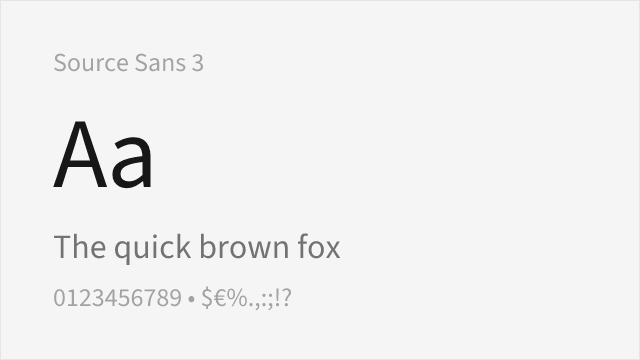
Adobe's workhorse sans with strong hinting and broad language coverage
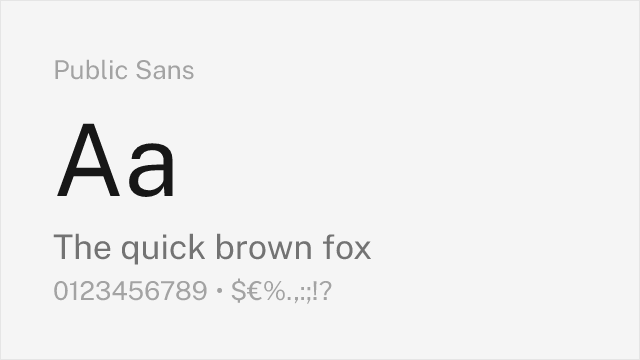
Government-grade neutrality with accessibility-first screen optimization
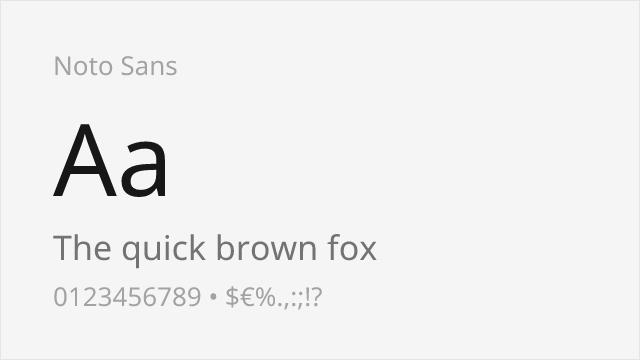
Google's universal font with unmatched language coverage and consistent screen rendering
Compare the alternatives
See how SF Pro Display compares to its top alternatives — and how those alternatives compare to each other — side by side.
See where SF Pro Display is used in the wild and swap to free alternatives live.
Install FontSwap →Replacement Summary
Source: FontAlternatives.com
Premium font: SF Pro Display
Best free alternative: Inter
FontAlternatives similarity score: 88%
Replacement difficulty: Low
Best for: cross-platform app interfaces, design system foundations, data-dense dashboards, developer documentation sites
Notable users: Apple, Apple Music, Apple TV+
Not recommended when: Brand consistency with Apple requires exact letterforms
What is the best free alternative to SF Pro Display?
Inter is the best free alternative to SF Pro Display with a FontAlternatives similarity score of 88%.
Inter shares similar proportions, stroke characteristics, and intended use with SF Pro Display. It is available under the OFL-1.1 license, which permits both personal and commercial use at no cost.
This alternative works particularly well for: cross-platform app interfaces, design system foundations, data-dense dashboards, developer documentation sites.
Can I safely replace SF Pro Display with Inter?
Yes, Inter is a high-confidence replacement for SF Pro Display. The FontAlternatives similarity score of 88% indicates strong structural compatibility.
Licensing: Inter is licensed under OFL-1.1, which allows commercial use without licensing fees or royalties.
Weight coverage: Most weights have close or exact matches available.
When should I NOT replace SF Pro Display?
While Inter is a strong alternative, there are situations where replacing SF Pro Display may not be appropriate:
- Strict compliance: Verify that OFL-1.1 terms meet your specific legal and compliance requirements.
Weight-Matching Guide
Map SF Pro Display weights to their closest free alternatives for accurate font substitution.
Inter
| SF Pro Display | Inter | Match |
|---|---|---|
| Ultralight (100) | Thin (100) | close |
| Regular (400) | Regular (400) | exact |
| Semibold (600) | SemiBold (600) | exact |
| Bold (700) | Bold (700) | exact |
Geist
| SF Pro Display | Geist | Match |
|---|---|---|
| Thin (100) | Thin (100) | exact |
| Regular (400) | Regular (400) | exact |
| Medium (500) | Medium (500) | exact |
| Bold (700) | Bold (700) | exact |
DM Sans
| SF Pro Display | DM Sans | Match |
|---|---|---|
| Light (300) | Light (300) | close |
| Regular (400) | Regular (400) | close |
| Medium (500) | Medium (500) | close |
| Bold (700) | Bold (700) | close |
Roboto
| SF Pro Display | Roboto | Match |
|---|---|---|
| Thin (100) | Thin (100) | close |
| Regular (400) | Regular (400) | exact |
| Medium (500) | Medium (500) | exact |
| Bold (700) | Bold (700) | exact |
Source Sans 3
| SF Pro Display | Source Sans 3 | Match |
|---|---|---|
| Light (300) | Light (300) | close |
| Regular (400) | Regular (400) | close |
| Medium (500) | Medium (500) | close |
| Bold (700) | Bold (700) | close |
Public Sans
| SF Pro Display | Public Sans | Match |
|---|---|---|
| Thin (100) | Thin (100) | close |
| Regular (400) | Regular (400) | close |
| Medium (500) | Medium (500) | close |
| Bold (700) | Bold (700) | close |
Noto Sans
| SF Pro Display | Noto Sans | Match |
|---|---|---|
| Thin (100) | Thin (100) | close |
| Regular (400) | Regular (400) | close |
| Medium (500) | Medium (500) | close |
| Bold (700) | Bold (700) | close |
Performance Guide
Production performance metrics for each alternative.
How to Use Inter
Copy these code snippets to quickly add Inter to your project.
CSS code for Inter
@import url('https://fonts.googleapis.com/css2?family=Inter:wght@100..900&display=swap');HTML code for Inter
<link rel="preconnect" href="https://fonts.googleapis.com">
<link rel="preconnect" href="https://fonts.gstatic.com" crossorigin>
<link href="https://fonts.googleapis.com/css2?family=Inter:wght@100..900&display=swap" rel="stylesheet">
Tailwind code for Inter
// tailwind.config.js
module.exports = {
  theme: {
    extend: {
      fontFamily: {
        'inter': ['Inter', 'sans-serif'],
      },
    },
  },
}

// Usage in HTML:
// <p class="font-inter">Your text here</p>
Next.js code for Inter
// Using next/font (Next.js 13+)
import { Inter } from 'next/font/google';

const inter = Inter({
  subsets: ['latin'],
  weight: ['100', '200', '300', '400', '500', '600', '700', '800', '900'],
});

export default function Component() {
  return (
    <p className={inter.className}>
      Your text here
    </p>
  );
}

// Or using inline styles with Google Fonts link:
// <p style={{ fontFamily: "'Inter'" }}>Your text</p>
Expo and React Native code for Inter
// Install: npx expo install @expo-google-fonts/inter expo-font
import { useFonts, Inter_400Regular } from '@expo-google-fonts/inter';

export default function App() {
  const [fontsLoaded] = useFonts({
    Inter_400Regular,
  });

  if (!fontsLoaded) return null;

  return (
    <Text style={{ fontFamily: 'Inter_400Regular' }}>
      Your text here
    </Text>
  );
}
Recommended Font Pairings
These free fonts pair well with Inter SF Pro Display for headlines, body text, or accent use.
Source Serif Pro's transitional serifs provide warm editorial contrast to SF Pro Display's clean sans-serif forms. Both share a rational construction and screen-optimized rendering, making them a reliable pair for content-heavy interfaces that need typographic hierarchy.
Playfair Display's high-contrast transitional serifs create dramatic visual contrast against SF Pro Display's restrained grotesque forms. This pairing works well for editorial apps and marketing pages where impact headlines need to contrast with functional body text.
Lora's contemporary serifs balance SF Pro Display's technical precision with reading warmth. Both are optimized for screen rendering, making them a practical pair for reading-focused apps and long-form content platforms.
Browse Alternatives by Context
Find SF Pro Display alternatives filtered by specific use case, style, or language support.
Frequently Asked Questions
What is the best free alternative to SF Pro Display?
Inter is the best free alternative to SF Pro Display with a FontAlternatives similarity score of 88%. It shares similar proportions and characteristics while being available under the OFL-1.1 license for both personal and commercial use at no cost.
Is there a free version of SF Pro Display?
There is no official free version of SF Pro Display. However, Inter is available under the OFL-1.1 open-source license and achieves a FontAlternatives similarity score of 88%. It includes variable weights and supports latin, latin-extended.
What Google Font looks like SF Pro Display?
The Google Fonts most similar to SF Pro Display are Inter, Geist, DM Sans. Among these alternatives, Inter offers the closest match with a FontAlternatives similarity score of 88% and includes variable weights for flexible typography options.
Can I use Inter commercially?
Yes, Inter can be used commercially. It is licensed under OFL-1.1, which allows free use in websites, applications, print materials, and commercial projects without purchasing a license or paying royalties.
Is Inter similar enough to SF Pro Display?
Inter achieves a FontAlternatives similarity score of 88% compared to SF Pro Display. While not identical, it offers comparable letterforms, proportions, and visual style. Most designers find it works excellently as a substitute in web and print projects.
What are the main differences between SF Pro Display and its free alternatives?
Free alternatives to SF Pro Display may differ in subtle details like letter spacing, curve refinements, and available weights. Premium fonts typically include more OpenType features, extended language support, and optimized screen rendering. However, for most projects, these differences are negligible.
Where can I download free alternatives to SF Pro Display?
Download Inter directly from Google Fonts. Click the "Get Font" button on any alternative listed above to visit the official download page. Google Fonts also provides convenient embed codes for seamless web integration.