 Install FontSwap
Nimbus Sans
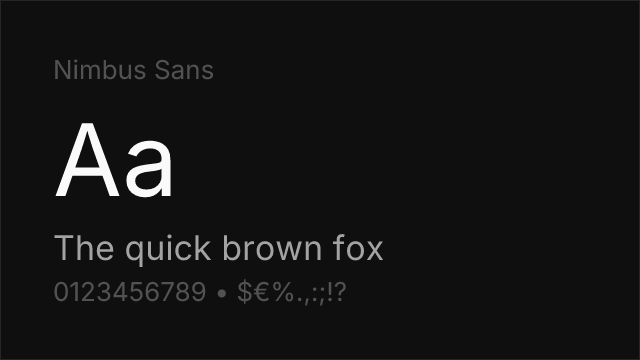
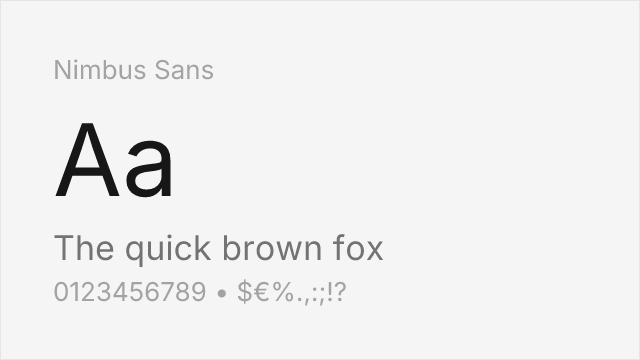
About Nimbus Sans
- Source
- Font Squirrel ↗
- Classification
- sans-serif
- Weights
- 400, 700
- Features
- Italics
Check the license terms for usage rights.
What's allowed?
- ✓ Client work
- ✓ SaaS / Web apps
- ✓ YouTube / Video
- ✓ Sell products
- ✓ Print materials
Nimbus Sans is URW++'s neo-grotesque sans-serif, designed as a metric-compatible alternative to Helvetica. Created in the 1980s by URW Type Foundry in Hamburg, it matches Helvetica's exact character widths and spacing, making it a true drop-in replacement for print and desktop publishing workflows.
History and Design
URW++ developed Nimbus Sans as part of their program to create metric-compatible alternatives to popular commercial typefaces. The font replicates Helvetica's proportions — identical character widths, kerning pairs, and line spacing — so documents set in Helvetica can be reflowed in Nimbus Sans without layout shifts. This metric compatibility is its defining feature and primary value.
Why Nimbus Sans Matters
For designers who need Helvetica's exact layout behavior without the commercial license, Nimbus Sans is the closest match available. Unlike Inter or Roboto, which share Helvetica's aesthetic but differ in metrics, Nimbus Sans produces identical line breaks and column widths. This matters in print workflows, PDF generation, and any context where layout fidelity is critical.
Technical Features
- Metric-compatible: Identical character widths and spacing to Helvetica
- 4 styles: Regular, Bold, and their italic counterparts
- GPL with font exception: Free for commercial use, embedding, and modification
- Extended character set: Latin, Cyrillic, and Greek support
- Print-optimized: Designed for high-resolution output
Best Use Cases
Nimbus Sans excels in:
- Print production: Documents requiring Helvetica-compatible metrics
- PDF generation: Server-side rendering where Helvetica isn't installed
- Linux environments: Default Helvetica substitute in many distributions
- Legacy system migration: Replacing Helvetica without reflowing layouts
- Budget-conscious projects: Professional neo-grotesque without licensing costs
Usage Tips
Nimbus Sans is strongest where metric compatibility matters — print and PDF workflows. For screen-first projects, Inter or Roboto offer better hinting and more weights. The limited weight range (Regular and Bold only) means you'll need a companion font for Thin or Black weights. Pair with a serif like Source Serif Pro or Lora for editorial contrast.
Is Nimbus Sans on Google Fonts?
No, Nimbus Sans is not on Google Fonts. It is available from Font Squirrel ↗
Alternative For (7)
Nimbus Sans is a free alternative to the following premium fonts:
Metric-compatible Helvetica clone from URW — identical character widths
URW's metric-compatible Helvetica clone — identical character widths and spacing
URW's metric-compatible Helvetica clone — identical character widths and spacing
URW's metric-compatible Helvetica clone — identical character widths and spacing
URW's metric-compatible Helvetica clone — identical character widths and spacing
URW's metric-compatible Helvetica clone with identical character widths
URW's metric-compatible Helvetica clone — identical character widths and spacing
Compare Nimbus Sans
See how Nimbus Sans compares to other fonts side by side.
How to Use Nimbus Sans
Copy these code snippets to quickly add Nimbus Sans to your project.
CSS code for Nimbus Sans
/* Download from: https://www.fontsquirrel.com/fonts/nimbus-sans-l */
@font-face {
  font-family: "Nimbus Sans";
  src: url('/fonts/nimbus-sans.woff2') format('woff2');
  font-display: swap;
}
HTML code for Nimbus Sans
<!-- Download from: https://www.fontsquirrel.com/fonts/nimbus-sans-l -->
<link href="/fonts/nimbus-sans.css" rel="stylesheet">
Tailwind code for Nimbus Sans
// tailwind.config.js
module.exports = {
  theme: {
    extend: {
      fontFamily: {
        'nimbus-sans': ['"Nimbus Sans"', 'sans-serif'],
      },
    },
  },
}

// Usage in HTML:
// <p class="font-nimbus-sans">Your text here</p>
Next.js code for Nimbus Sans
// Import the font CSS in your _app.js or layout
import '/fonts/nimbus-sans.css';

export default function Component() {
  return (
    <p style={{ fontFamily: '"Nimbus Sans"' }}>
      Your text here
    </p>
  );
}
Expo and React Native code for Nimbus Sans
// Install: npx expo install expo-font
import { useFonts } from 'expo-font';

export default function App() {
  const [fontsLoaded] = useFonts({
    'Nimbus Sans': require('./assets/fonts/nimbus-sans.ttf'),
  });

  if (!fontsLoaded) return null;

  return (
    <Text style={{ fontFamily: 'Nimbus Sans' }}>
      Your text here
    </Text>
  );
}

// Download font from: https://www.fontsquirrel.com/fonts/nimbus-sans-l