Free Alternatives to DIN

About DIN
- Foundry
- Linotype
- Classification
- sans-serif
- Style
- industrial
Brands Using DIN
Official typeface for road signs and public signage
Corporate communications and product labeling
Supporting typeface in technical documentation
Used in dealer communications and technical materials
Public transit wayfinding and station signage
 See DIN live on these sites with FontSwap →
DIN is a sans-serif typeface originally designed for the Deutsches Institut für Normung (German Institute for Standardization) in 1931 for use in engineering, administration, and traffic signs. The modern digital version by Linotype, designed by Albert-Jan Pool in 1995, expanded this industrial classic into a comprehensive family for contemporary use.
History and Design
The original DIN typeface was created as part of Germany's standardization efforts, designed to be highly legible for signage and technical documentation. Its distinctive proportions—narrow compared to most sans-serifs—made it ideal for situations where space efficiency mattered. The letters feature consistent stroke widths and minimal ornamentation.
Albert-Jan Pool's DIN Next (1995) refined the original design for digital typography, adding weights from Light to Black, italics, and extended character sets. The design maintains the industrial clarity of the original while adding refinements for text use at smaller sizes.
Why DIN is Popular
DIN's association with German engineering and precision made it attractive to automotive, industrial, and technology brands seeking to project technical excellence and reliability. Its distinctive narrow proportions and clean geometry create a recognizable aesthetic that stands apart from more conventional sans-serifs.
Use Cases
DIN excels in:
- Signage systems: Designed for optimal legibility at distance
- Automotive industry: Projects German engineering precision
- Technical documentation: Clear communication in manuals and specs
- Industrial branding: Conveys reliability and efficiency
Finding Free Alternatives
Exo offers the closest free alternative, capturing DIN's industrial geometric character with similar technical aesthetics. Saira provides comparable condensed proportions inspired by industrial design, while Barlow delivers a similar industrial sans-serif feel with comprehensive weight options.
FAQ
What is the best free alternative to DIN?
Exo is the best free alternative to DIN, capturing the industrial geometric character and technical aesthetic. Designed by Natanael Gama and available on Google Fonts, Exo shares DIN's precise, engineered feel while offering variable font support and extensive weights suitable for signage, automotive, and technical applications.
Can I use Exo commercially?
Yes, Exo is licensed under the SIL Open Font License (OFL-1.1), allowing unlimited commercial use without licensing fees. You can use it for automotive branding, signage, technical documentation, and any commercial project. Attribution is only required when redistributing the font files.
How similar is Exo to DIN?
Exo achieves approximately 85% similarity to DIN, sharing the industrial geometric foundations and technical precision. Both feature similar x-heights, consistent stroke widths, and engineered aesthetics. Exo has slightly rounder details while DIN maintains more rigid, standardized forms reflecting its origins in German normalization.
What are the main differences between DIN and Exo?
DIN features more rigid, standardized letterforms true to its industrial origins and narrower proportions optimized for signage. Exo has slightly softer geometry and more contemporary refinements. DIN offers specialized variants for road signs and wayfinding. Exo provides variable font technology and more stylistic options.
Where can I download Exo for free?
Exo is available for free download from Google Fonts at fonts.google.com/specimen/Exo. The Exo 2 version includes weights from Thin to Black with matching italics, plus variable font support. For even more industrial aesthetics, check out Saira and Barlow as additional free alternatives.
Is DIN on Google Fonts?
No, DIN is a premium font from Linotype and is not available on Google Fonts.
The closest Google Fonts alternative is Exo with 85% similarity. Get it free on Google Fonts ↗
Free Alternatives (3)
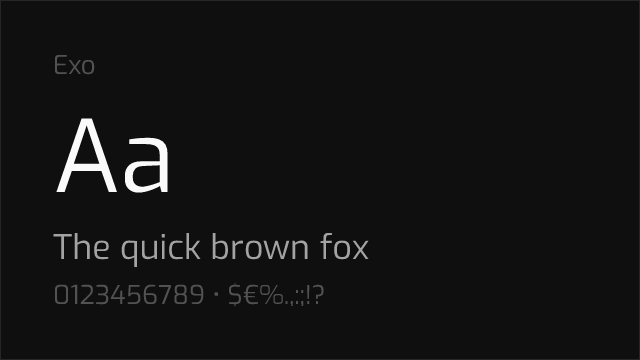
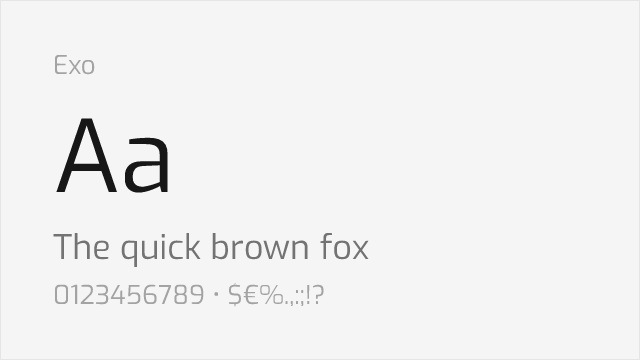
Shares industrial geometric character with similar technical aesthetic
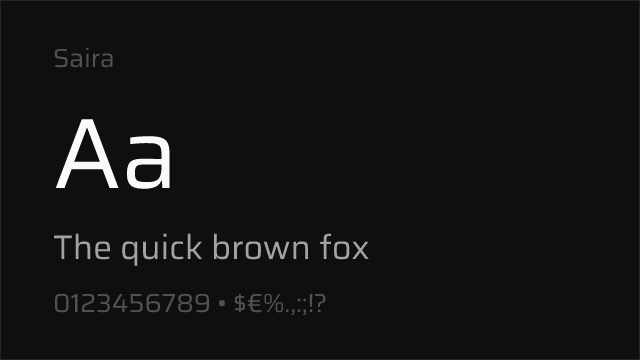
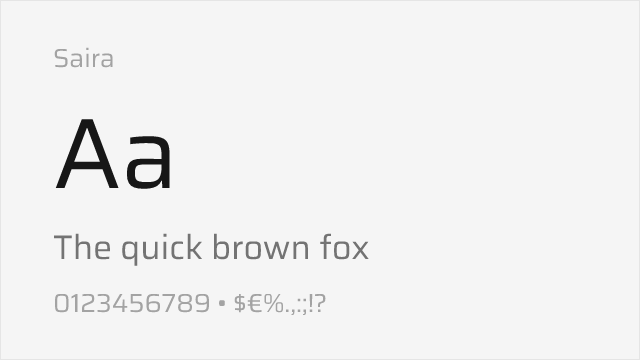
Comparable condensed proportions and industrial design origins
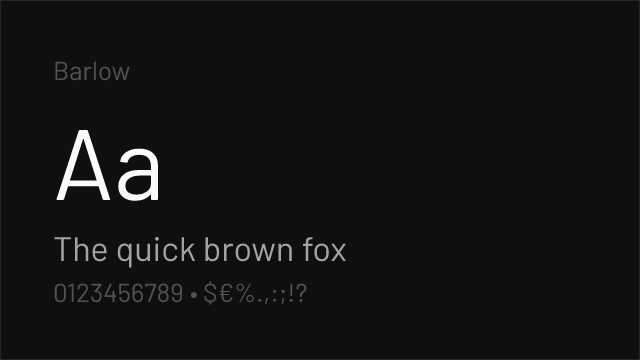
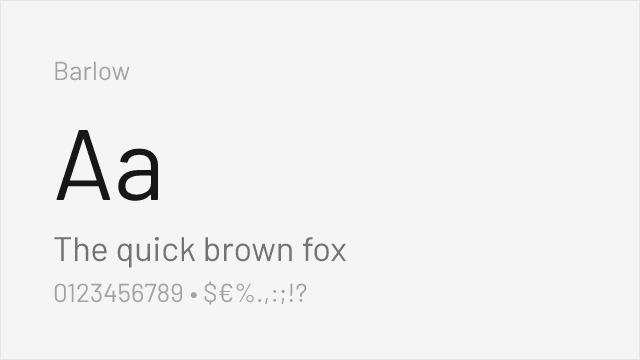
Similar industrial sans-serif feel with excellent weight range
Replacement Summary
Source: FontAlternatives.com
Premium font: DIN
Best free alternative: Exo
FontAlternatives similarity score: 85%
Replacement difficulty: Low
Best for: technology branding, gaming interfaces, automotive industry, industrial signage
Notable users: German Federal Government, Bosch, Intel
Not recommended when: Brand consistency with German Federal Government requires exact letterforms
What is the best free alternative to DIN?
Exo is the best free alternative to DIN with a FontAlternatives similarity score of 85%.
Exo shares similar proportions, stroke characteristics, and intended use with DIN. It is available under the OFL-1.1 license, which permits both personal and commercial use at no cost.
This alternative works particularly well for: technology branding, gaming interfaces, automotive industry, industrial signage.
Can I safely replace DIN with Exo?
Yes, Exo is a high-confidence replacement for DIN. The FontAlternatives similarity score of 85% indicates strong structural compatibility.
Licensing: Exo is licensed under OFL-1.1, which allows commercial use without licensing fees or royalties.
Weight coverage: All 5 weights have exact matches available.
When should I NOT replace DIN?
While Exo is a strong alternative, there are situations where replacing DIN may not be appropriate:
- Brand consistency: DIN is commonly seen in German road signs contexts where exact letterforms may be required.
- Strict compliance: Verify that OFL-1.1 terms meet your specific legal and compliance requirements.
Weight-Matching Guide
Map DIN weights to their closest free alternatives for accurate font substitution.
Exo
| DIN | Exo | Match |
|---|---|---|
| Light | Light (300) | exact |
| Regular | Regular (400) | exact |
| Medium | Medium (500) | exact |
| Bold | Bold (700) | exact |
| Black | Black (900) | exact |
Performance Guide
Production performance metrics for each alternative.
How to Use Exo
Copy these code snippets to quickly add Exo to your project.
CSS code for Exo
@import url('https://fonts.googleapis.com/css2?family=Exo:wght@100..900&display=swap');HTML code for Exo
<link rel="preconnect" href="https://fonts.googleapis.com">
<link rel="preconnect" href="https://fonts.gstatic.com" crossorigin>
<link href="https://fonts.googleapis.com/css2?family=Exo:wght@100..900&display=swap" rel="stylesheet">
Tailwind code for Exo
// tailwind.config.js
module.exports = {
  theme: {
    extend: {
      fontFamily: {
        'exo': ['Exo', 'sans-serif'],
      },
    },
  },
}

// Usage in HTML:
// <p class="font-exo">Your text here</p>
Next.js code for Exo
// Using next/font (Next.js 13+)
import { Exo } from 'next/font/google';

const exo = Exo({
  subsets: ['latin'],
  weight: ['100', '200', '300', '400', '500', '600', '700', '800', '900'],
});

export default function Component() {
  return (
    <p className={exo.className}>
      Your text here
    </p>
  );
}

// Or using inline styles with Google Fonts link:
// <p style={{ fontFamily: "'Exo'" }}>Your text</p>
Expo and React Native code for Exo
// Install: npx expo install @expo-google-fonts/exo expo-font
import { useFonts, Exo_400Regular } from '@expo-google-fonts/exo';

export default function App() {
  const [fontsLoaded] = useFonts({
    Exo_400Regular,
  });

  if (!fontsLoaded) return null;

  return (
    <Text style={{ fontFamily: 'Exo_400Regular' }}>
      Your text here
    </Text>
  );
}
Recommended Font Pairings
These free fonts pair well with Exo DIN for headlines, body text, or accent use.
Roboto Slab's mechanical slab serifs echo DIN's industrial heritage for a cohesive technical aesthetic
Merriweather's sturdy, screen-optimized serifs provide readable body text that balances DIN's engineered precision
Source Serif Pro's structured forms pair cleanly with DIN's industrial character for technical documentation and editorial layouts
Browse Alternatives by Context
Find DIN alternatives filtered by specific use case, style, or language support.
By Use Case
By Style
By Script
Frequently Asked Questions
What is the best free alternative to DIN?
Exo is the best free alternative to DIN with a FontAlternatives similarity score of 85%. It shares similar proportions and characteristics while being available under the OFL-1.1 license for both personal and commercial use at no cost.
Is there a free version of DIN?
There is no official free version of DIN. However, Exo is available under the OFL-1.1 open-source license and achieves a FontAlternatives similarity score of 85%. It includes variable weights and supports latin, latin-extended.
What Google Font looks like DIN?
The Google Fonts most similar to DIN are Exo, Saira, Barlow. Among these alternatives, Exo offers the closest match with a FontAlternatives similarity score of 85% and includes variable weights for flexible typography options.
Can I use Exo commercially?
Yes, Exo can be used commercially. It is licensed under OFL-1.1, which allows free use in websites, applications, print materials, and commercial projects without purchasing a license or paying royalties.
Is Exo similar enough to DIN?
Exo achieves a FontAlternatives similarity score of 85% compared to DIN. While not identical, it offers comparable letterforms, proportions, and visual style. Most designers find it works excellently as a substitute in web and print projects.
What are the main differences between DIN and its free alternatives?
Free alternatives to DIN may differ in subtle details like letter spacing, curve refinements, and available weights. Premium fonts typically include more OpenType features, extended language support, and optimized screen rendering. However, for most projects, these differences are negligible.
Where can I download free alternatives to DIN?
Download Exo directly from Google Fonts. Click the "Get Font" button on any alternative listed above to visit the official download page. Google Fonts also provides convenient embed codes for seamless web integration.