Free Alternatives to Univers

About Univers
- Foundry
- Linotype
- Classification
- sans-serif
- Style
- neo-grotesque
Brands Using Univers
Corporate identity and industrial communications
Station signage and timetable systems
Earlier brand identity before custom typeface
Corporate communications and financial reports
Corporate typeface for global communications
 See Univers live on these sites with FontSwap →
Univers is a neo-grotesque sans-serif typeface designed by Adrian Frutiger and released by Deberny & Peignot in 1957. It represents one of the first typefaces conceived as a complete system with coordinated weights and widths, revolutionizing typographic practice. Univers established the blueprint for modern type superfamilies and remains a cornerstone of professional typography.
History and Design
Adrian Frutiger designed Univers while working at Deberny & Peignot in Paris, where he had joined as a young designer from Switzerland. Unlike traditional typeface development where weights and widths were added incrementally over years, Frutiger conceived Univers as a unified family from the outset—a radical departure from industry practice.
To organize the 21 original weights and widths, Frutiger created his famous two-digit numbering system. The first digit indicates weight (from 3=light to 8=extra bold), while the second digit indicates width and style (5=roman, 6=italic, 3=extended, 7=condensed, etc.). This systematic approach influenced type design for decades and became the model for future superfamilies.
The typeface was released the same year as Helvetica (1957), but the two designs took fundamentally different approaches. Where Helvetica refined an existing design (Akzidenz-Grotesk), Univers was designed systematically from scratch. Frutiger's letterforms feature slightly more consistent stroke widths and subtly warmer curves than Helvetica, giving Univers a more humanist touch while maintaining neo-grotesque neutrality.
In 1997, Linotype released Univers Next, a comprehensive revision by Frutiger that expanded the family and improved consistency across weights. This revision ensured Univers remained relevant for digital typography while honoring the original design principles.
Why Univers Matters
Univers's systematic approach to type families fundamentally changed how designers and foundries think about typeface organization. Before Univers, type families grew organically with inconsistent naming conventions. Frutiger demonstrated that a typeface could be conceived holistically, with all weights and widths designed in relation to each other.
The numbering system itself became influential beyond Univers. Designers could instantly understand "Univers 55" meant regular weight and width, while "Univers 47" indicated light condensed. This logical organization proved invaluable for complex corporate identity systems requiring consistent typography across diverse applications.
Major corporations recognized Univers's systematic qualities. Deutsche Bank built their global identity around Univers, as did eBay in their earlier branding. The Montréal Metro adopted Univers for wayfinding, demonstrating its effectiveness in transit environments. These high-profile implementations cemented Univers's reputation as the thinking designer's alternative to Helvetica.
Technical Characteristics
Univers's design features several distinctive characteristics:
- Systematic organization: Two-digit numbering system for weights and widths
- Consistent stroke width: More uniform than Helvetica's varied strokes
- Moderate x-height: Balanced proportions for extended reading
- Open apertures: Clear letter openings that aid legibility at distance
- Neutral character: Professional appearance without strong personality
- Comprehensive family: 63 fonts in current Univers Next family
Use Cases
Univers excels in numerous applications:
- Signage and wayfinding: Excellent legibility at various sizes and viewing distances
- Corporate identity: Professional, systematic appearance for global brands
- Editorial design: Versatile weight range enables sophisticated typographic hierarchy
- Large-scale graphics: Consistent appearance across environmental applications
- Transit systems: Proven effectiveness in metro and airport wayfinding
- Government communications: Neutral, authoritative presence
Finding Free Alternatives
While Univers requires licensing through Linotype, several excellent free alternatives capture its systematic, neutral character.
Inter provides the strongest modern alternative, sharing Univers's systematic approach with comprehensive weight coverage and extensive OpenType features. Designed by Rasmus Andersson for digital interfaces, Inter offers similar neutrality and functionality while excelling on screens.
Source Sans Pro from Adobe embodies Univers's functional clarity with a comparable weight range and professional character. Its coordination with Source Serif Pro and Source Code Pro mirrors Univers's systematic philosophy, making it ideal for projects requiring typographic consistency across families.
Roboto shares Univers's neo-grotesque foundations while adding subtle humanist touches. As Android's system font, it demonstrates similar versatility across applications and contexts.
FAQ
Why is Inter the best Univers alternative?
Inter is the best free alternative to Univers because both share systematic design philosophy, neutral character, and comprehensive weight coverage. Inter achieves 85% visual similarity with similar x-height, stroke consistency, and functional clarity. Its variable font technology and extensive OpenType features make it equally versatile for corporate identity, editorial design, and digital interfaces.
What is the Univers numbering system?
Univers uses a two-digit numbering system created by Adrian Frutiger. The first digit indicates weight (3=light through 8=extra bold), while the second indicates width and style (5=roman, 6=italic, 3=extended, 7=condensed). For example, Univers 55 is regular weight/width roman, Univers 67 is bold condensed. This systematic approach revolutionized type family organization.
Is Univers on Google Fonts?
No, Univers is a premium font from Linotype and is not available on Google Fonts.
The closest Google Fonts alternative is Inter with 85% similarity. Get it free on Google Fonts ↗
Free Alternatives (3)
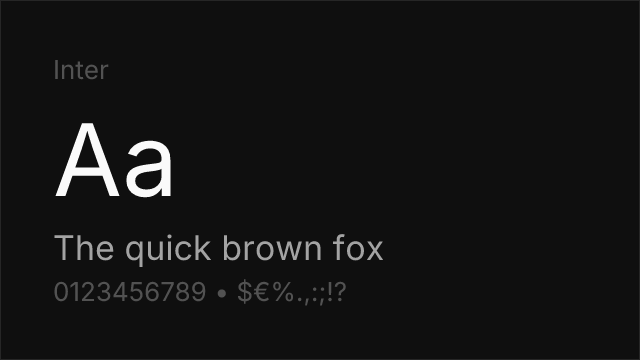
Modern interpretation with excellent screen optimization and similar neutrality
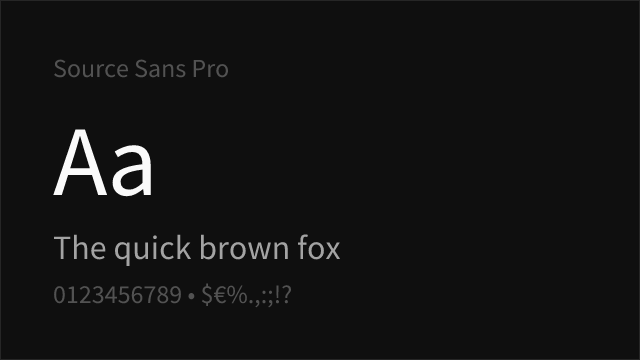
Adobe's open-source alternative with comparable weight range and clarity
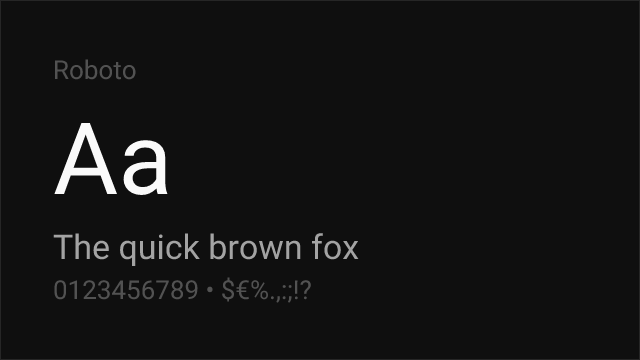
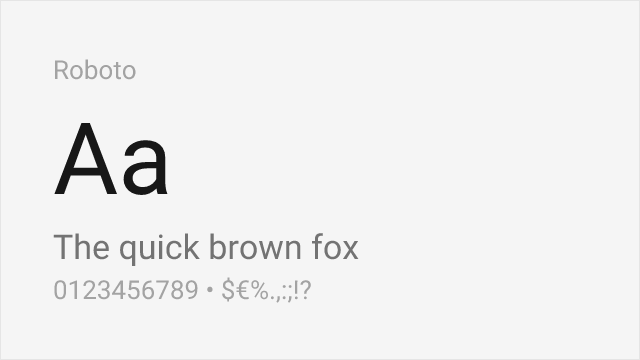
Similar functional design philosophy optimized for digital interfaces
See where Univers is used in the wild and swap to free alternatives live.
Install FontSwap →Replacement Summary
Source: FontAlternatives.com
Premium font: Univers
Best free alternative: Inter
FontAlternatives similarity score: 85%
Replacement difficulty: Low
Best for: corporate identity, UI design, web applications, editorial
Notable users: General Electric, Swiss Federal Railways, eBay
Not recommended when: Brand consistency with General Electric requires exact letterforms
What is the best free alternative to Univers?
Inter is the best free alternative to Univers with a FontAlternatives similarity score of 85%.
Inter shares similar proportions, stroke characteristics, and intended use with Univers. It is available under the OFL-1.1 license, which permits both personal and commercial use at no cost.
This alternative works particularly well for: corporate identity, UI design, web applications, editorial.
Can I safely replace Univers with Inter?
Yes, Inter is a high-confidence replacement for Univers. The FontAlternatives similarity score of 85% indicates strong structural compatibility.
Licensing: Inter is licensed under OFL-1.1, which allows commercial use without licensing fees or royalties.
Weight coverage: Most weights have close or exact matches available.
When should I NOT replace Univers?
While Inter is a strong alternative, there are situations where replacing Univers may not be appropriate:
- Brand consistency: Univers is commonly seen in Deutsche Bank contexts where exact letterforms may be required.
- Strict compliance: Verify that OFL-1.1 terms meet your specific legal and compliance requirements.
Weight-Matching Guide
Map Univers weights to their closest free alternatives for accurate font substitution.
Inter
| Univers | Inter | Match |
|---|---|---|
| 45 Light | Light (300) | exact |
| 55 Roman | Regular (400) | exact |
| 65 Bold | Bold (700) | exact |
| 75 Black | ExtraBold (800) | close |
Performance Guide
Production performance metrics for each alternative.
How to Use Inter
Copy these code snippets to quickly add Inter to your project.
CSS code for Inter
@import url('https://fonts.googleapis.com/css2?family=Inter:wght@100..900&display=swap');HTML code for Inter
<link rel="preconnect" href="https://fonts.googleapis.com">
<link rel="preconnect" href="https://fonts.gstatic.com" crossorigin>
<link href="https://fonts.googleapis.com/css2?family=Inter:wght@100..900&display=swap" rel="stylesheet">
Tailwind code for Inter
// tailwind.config.js
module.exports = {
  theme: {
    extend: {
      fontFamily: {
        'inter': ['Inter', 'sans-serif'],
      },
    },
  },
}

// Usage in HTML:
// <p class="font-inter">Your text here</p>
Next.js code for Inter
// Using next/font (Next.js 13+)
import { Inter } from 'next/font/google';

const inter = Inter({
  subsets: ['latin'],
  weight: ['100', '200', '300', '400', '500', '600', '700', '800', '900'],
});

export default function Component() {
  return (
    <p className={inter.className}>
      Your text here
    </p>
  );
}

// Or using inline styles with Google Fonts link:
// <p style={{ fontFamily: "'Inter'" }}>Your text</p>
Expo and React Native code for Inter
// Install: npx expo install @expo-google-fonts/inter expo-font
import { useFonts, Inter_400Regular } from '@expo-google-fonts/inter';

export default function App() {
  const [fontsLoaded] = useFonts({
    Inter_400Regular,
  });

  if (!fontsLoaded) return null;

  return (
    <Text style={{ fontFamily: 'Inter_400Regular' }}>
      Your text here
    </Text>
  );
}
Browse Alternatives by Context
Find Univers alternatives filtered by specific use case, style, or language support.
By Use Case
By Style
Frequently Asked Questions
What is the best free alternative to Univers?
Inter is the best free alternative to Univers with a FontAlternatives similarity score of 85%. It shares similar proportions and characteristics while being available under the OFL-1.1 license for both personal and commercial use at no cost.
Is there a free version of Univers?
There is no official free version of Univers. However, Inter is available under the OFL-1.1 open-source license and achieves a FontAlternatives similarity score of 85%. It includes variable weights and supports latin, latin-extended.
What Google Font looks like Univers?
The Google Fonts most similar to Univers are Inter, Source Sans Pro, Roboto. Among these alternatives, Inter offers the closest match with a FontAlternatives similarity score of 85% and includes variable weights for flexible typography options.
Can I use Inter commercially?
Yes, Inter can be used commercially. It is licensed under OFL-1.1, which allows free use in websites, applications, print materials, and commercial projects without purchasing a license or paying royalties.
Is Inter similar enough to Univers?
Inter achieves a FontAlternatives similarity score of 85% compared to Univers. While not identical, it offers comparable letterforms, proportions, and visual style. Most designers find it works excellently as a substitute in web and print projects.
What are the main differences between Univers and its free alternatives?
Free alternatives to Univers may differ in subtle details like letter spacing, curve refinements, and available weights. Premium fonts typically include more OpenType features, extended language support, and optimized screen rendering. However, for most projects, these differences are negligible.
Where can I download free alternatives to Univers?
Download Inter directly from Google Fonts. Click the "Get Font" button on any alternative listed above to visit the official download page. Google Fonts also provides convenient embed codes for seamless web integration.